

The short answer is Yes.
Most of the manual testing processes can be managed in Excel.
- Requirements
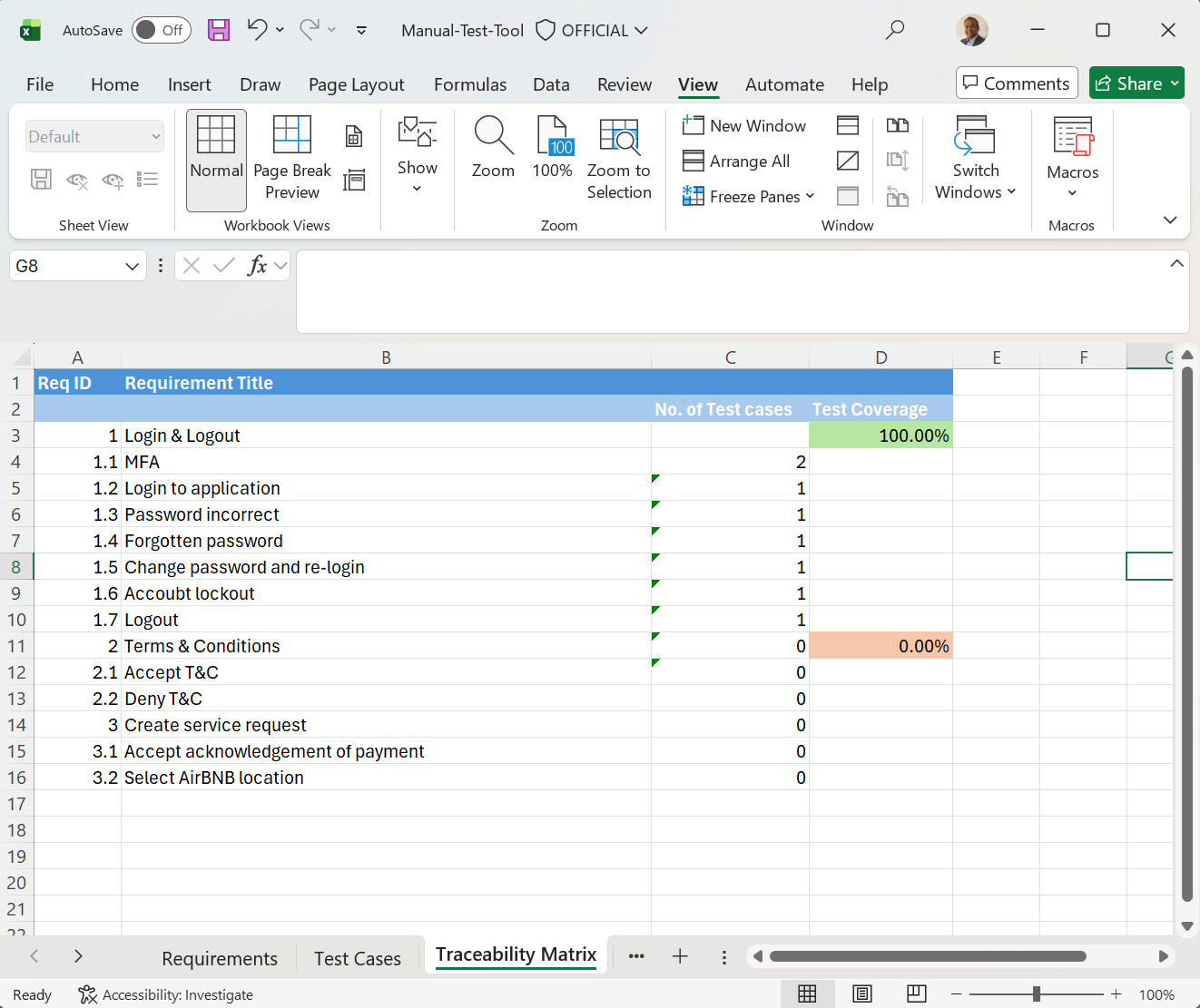
- Traceability matrix
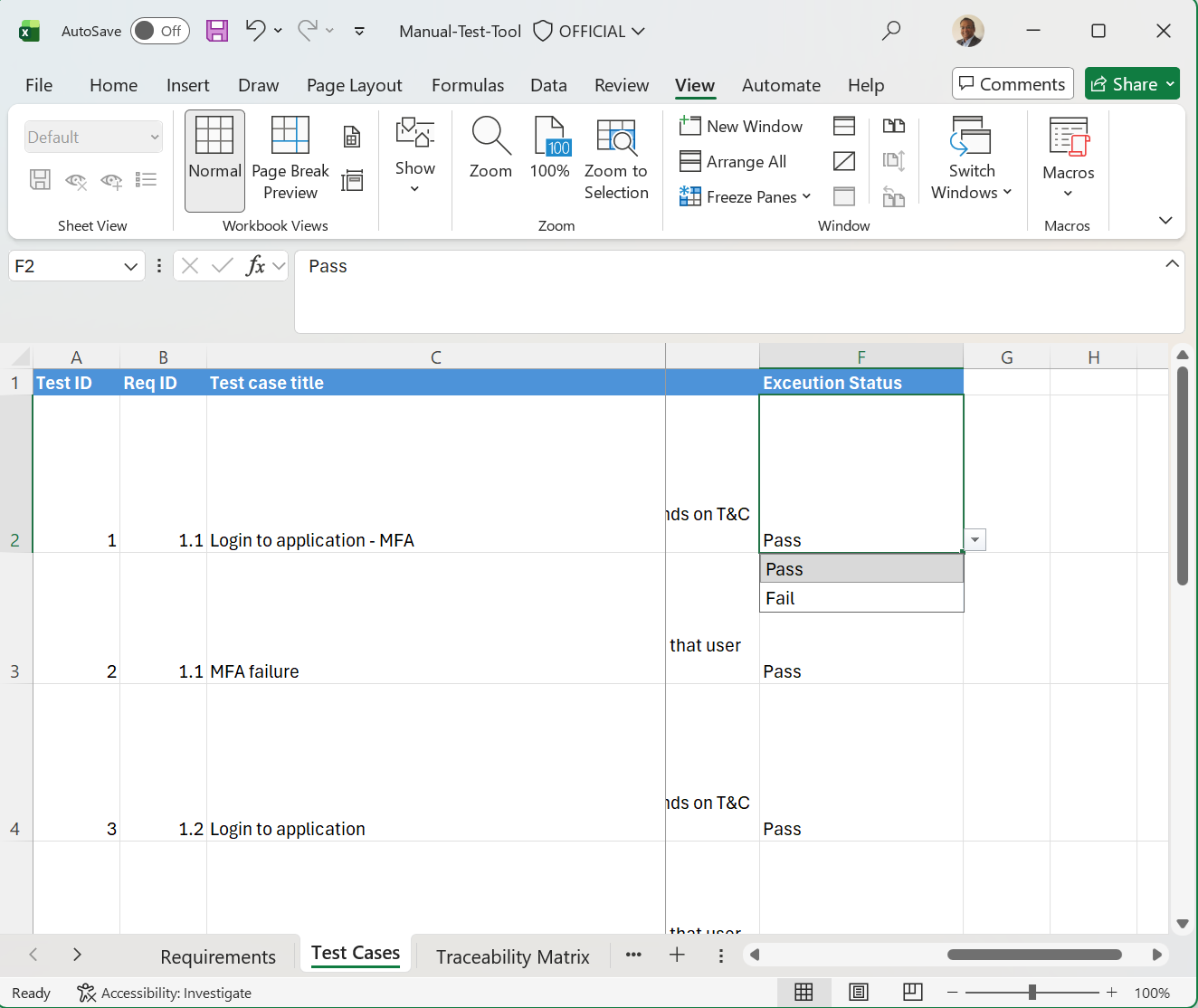
- Test case execution – Pass/Fail/Invalid/On Hold
- Defect management
- Statistics
All of these can be managed in Excel, using excel features and functions. You just need to learn how to use advanced Excel functions.
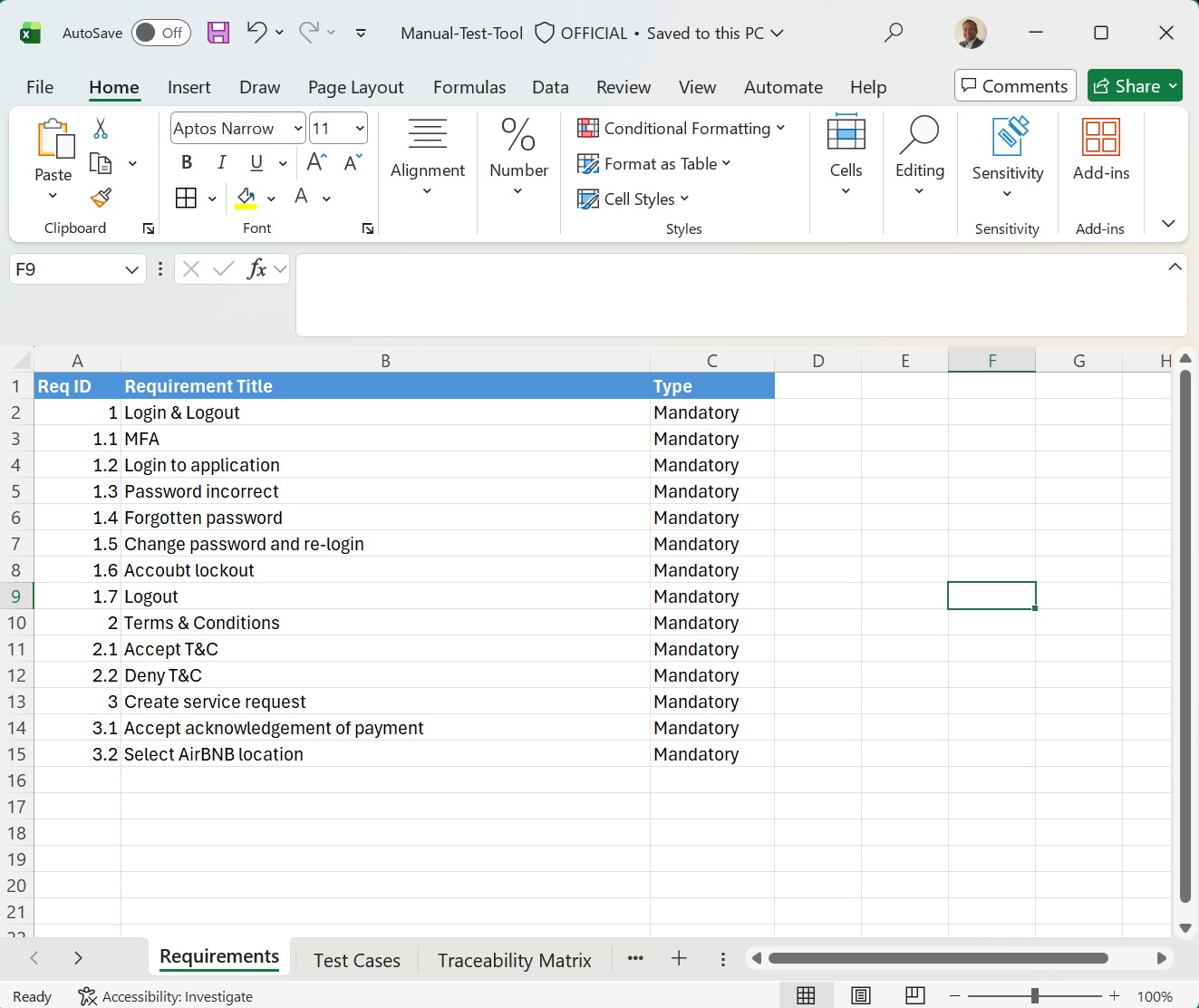
Here are sample screenshots.
This shows how to document requirements
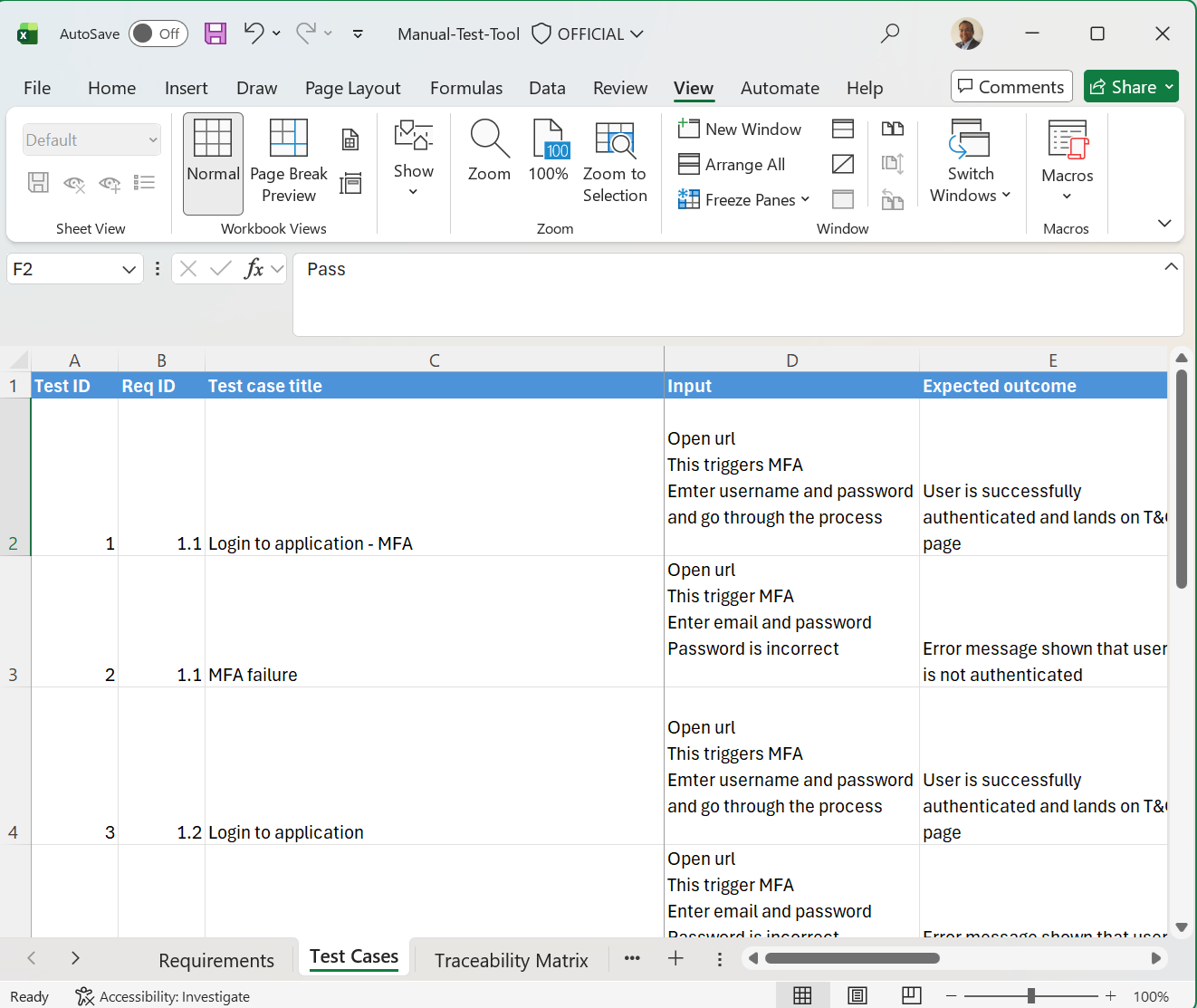
This shows how test cases are structured and linked to requirements.
This shows how traceability matrix is generated, using requirements coverage.
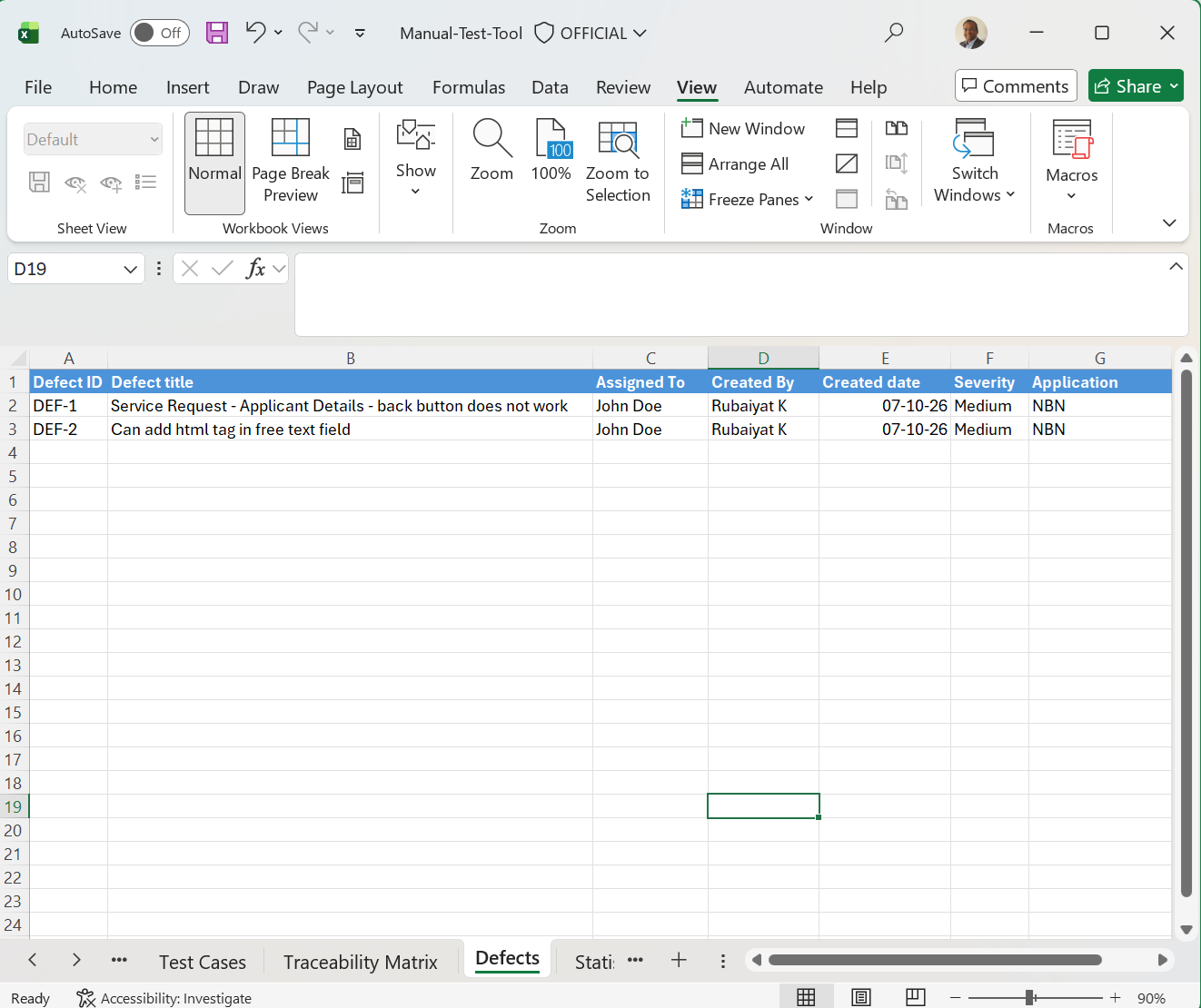
This shows how defects can be recorded.
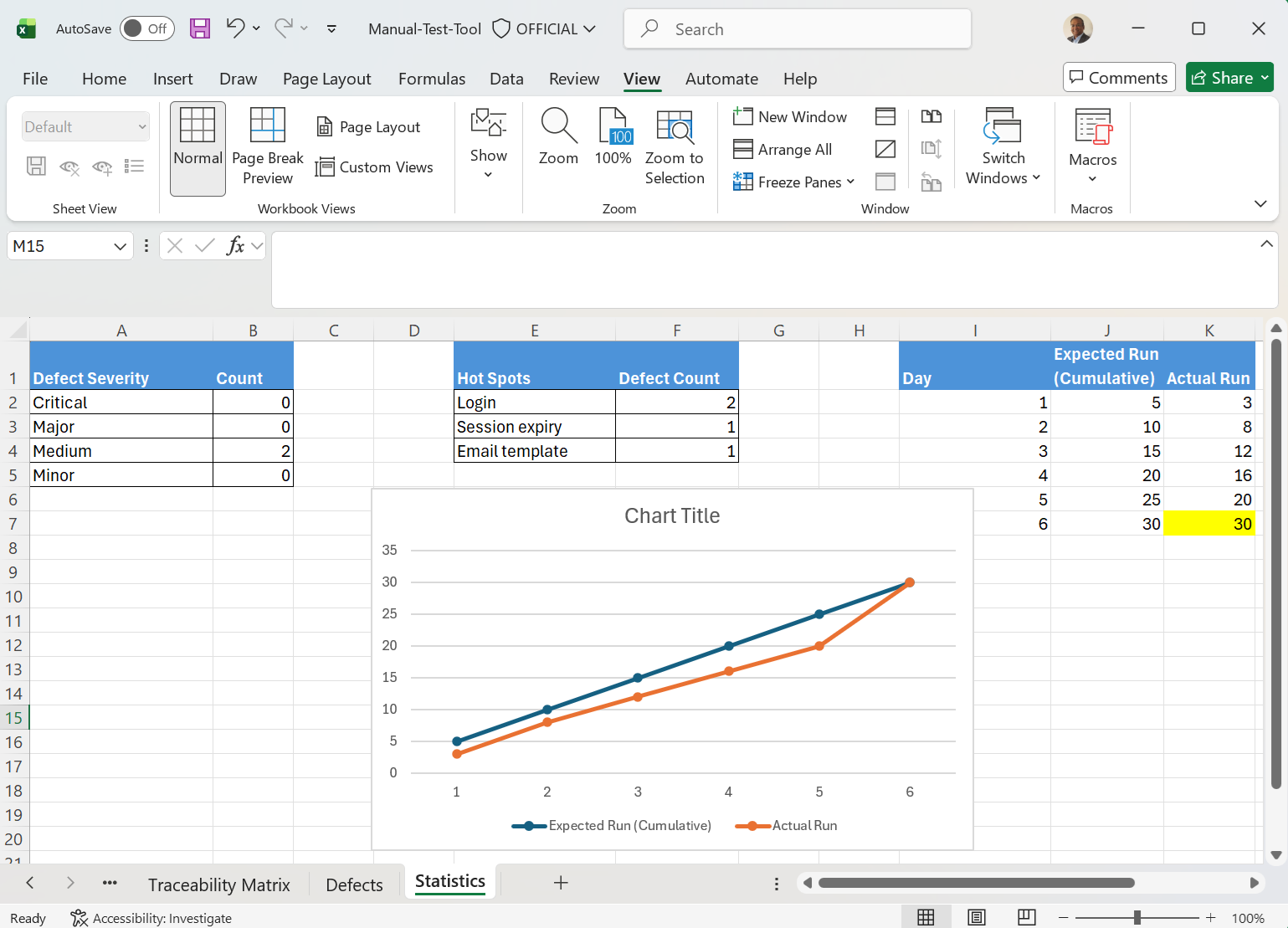
This shows how different statistics can be shared. You can create different types of statistics:
- Open defect severity
- Defect hot spot – which functional area has the most defects – this means this is the area that developer need to focus more
- Defect to test case ratio – this is a measure of how good the code quality is. The smaller the test case to defect ratio is, the better the code quality. For example, if you find 1 defect for every 20 test cases, then your defect to test case ratio is 0.05. On the other hand, if you find 1 defect in every 10 test cases, then your defect to test case ratio will be 0.1. The aim will always be to get something like 0.05 or lower. I found that 0.07 [1 defect to every 13 test cases] is a reasonable measure of code quality.
But if you want enterprise level test management, then the answer is we need some commercial tools.
For example, in defect management, when you raise a defect, you need to add comments to it, how to produce the defect, need to attach screenshot to the defect etc. This is then assigned to a developer. Developer will also add comments and provide technical assessment.
All of these cannot be efficiently done in Excel.
That is where tools such as JIRA comes into play.
But for a small company or a start up, you can easily manage testing in Excel.


