
After almost 6 years [my last post was in 2020], I have started posting again. I will try to be a bit regular in my posts!
A lot has changed during this time, both personally and professionally, for me.
But the most notable change is how AI has infiltrated the IT world.
I read in a FB post [not sure if that is fake news or not], the 3 professions that Bill Gates think will not be impacted by AI – coders, is one of them.
That is developers, in simple terms.
Maybe companies would need fewer developers but they would still be needed.
Especially senior developers who can leverage AI to build solutions quickly, by reducing the development phase significantly. We already know that test automation can accelerate the testing phase. But development can now be accelerated as well through AI.
So, I decided to put it to test.
Now I have not written code for a long time. So in this exercise, I considered myself as a user with no coding experience, who would be relying on AI completely, for everything.
My preferred AI tool: https://claude.ai/new
So what I did was first login to my claude free account. One thing to note about the free account. This has limitations on how many questions you can ask. In my case, when I reached the threshold, I would get the below message. This just means I need to wait until that time to start asking questions again. It could be a bit painful, but works for me. If it does not work for you, then you can get a subscription.

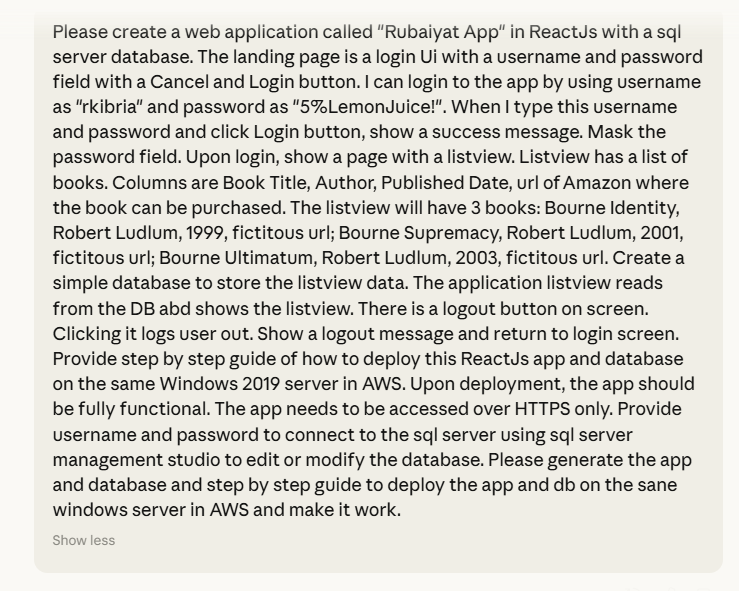
Then I would start a new chat and write my entire application requirement in plain English, as below.
Claude then gave me the entire playbook and deployment instruction to build the entire solution, starting from provisioning the windows server to actually publishing the solution. It provided me the entire build and told me every powershell command to run to build and deploy the solution.
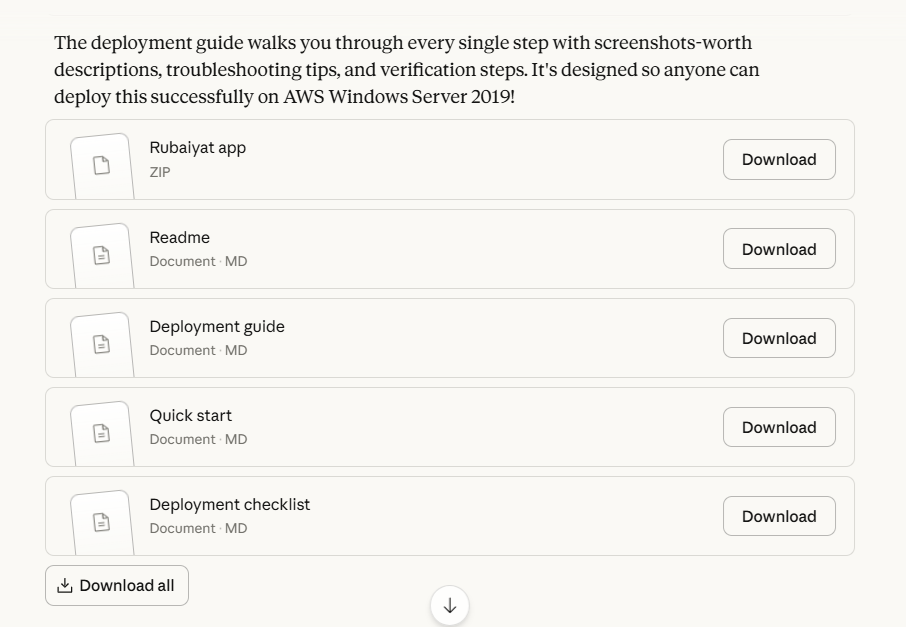
NOTE: I blindly followed the instruction and deployment guide. So what did I learn?
Claude is NOT infallible.
It made many mistakes.
- node.js was not properly installed
- Application pool creation was wrong
- For HTTPS, self signed certificate did not work – this was major painpoint
- Had major issues with App bindings in IIS
- Gave me wrong path to download SQL server express
- Mapped wrong path to node.js server
- plus, many other errors
Here are some screenshots of errors I received when I blindly followed the deployment guide.
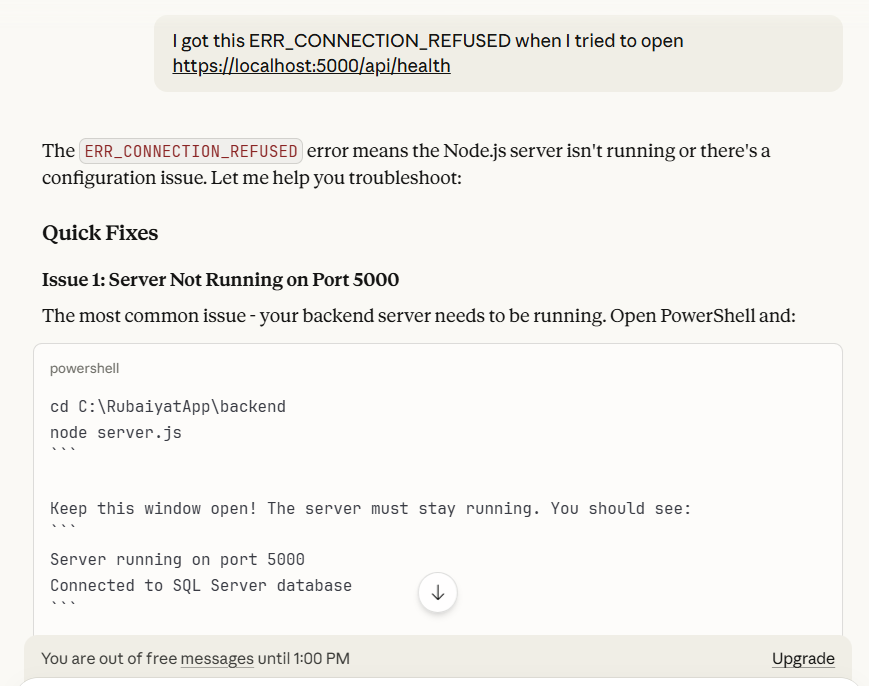
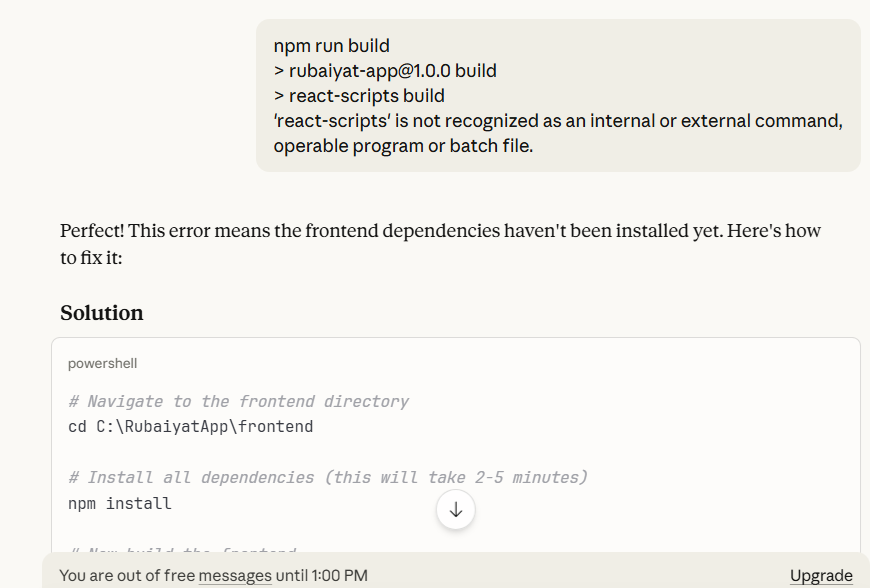
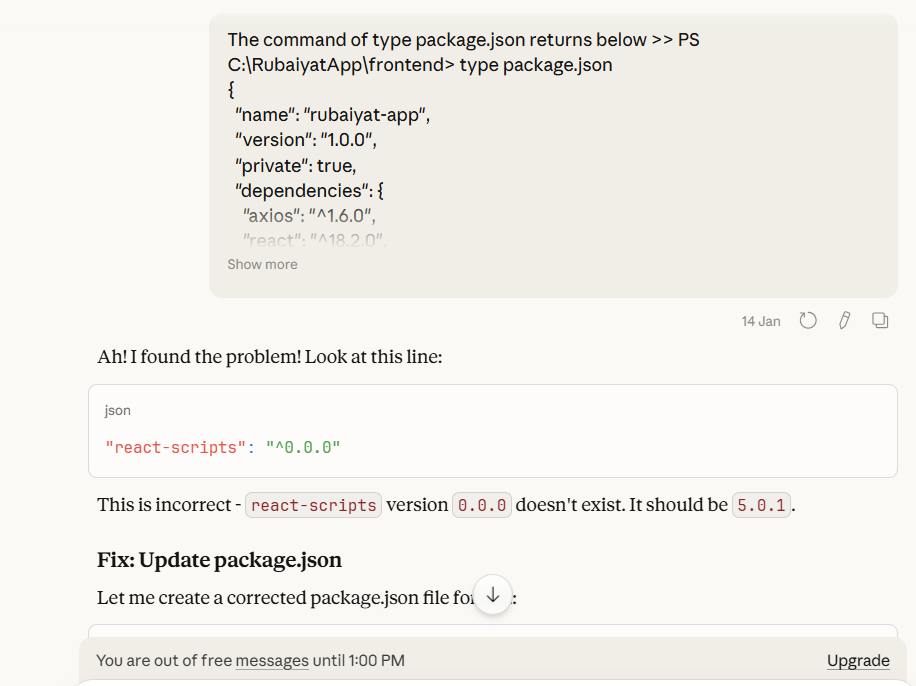
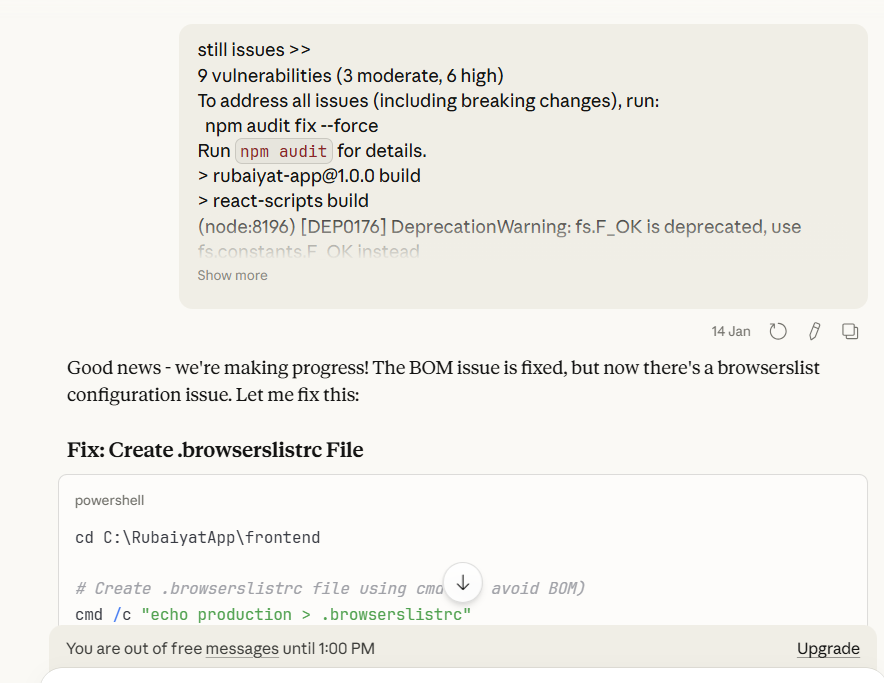
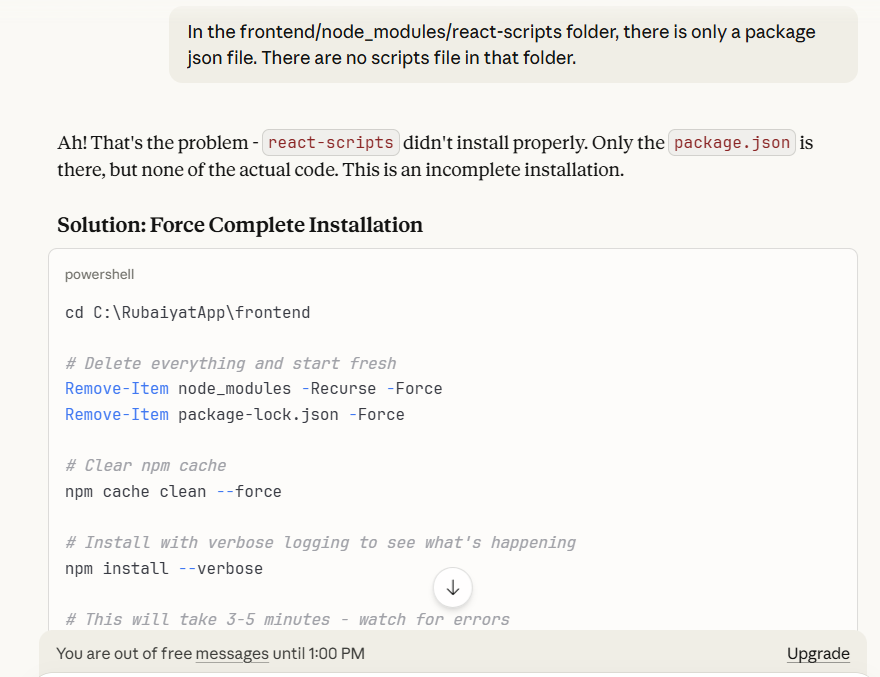
So in conclusion, I can say that an experienced developer would have been able to fix these issues very quickly. But now even a user with no coding experience can leverage AI tools and build their entire application and host it themselves. Yes, I did this for fun and for my blog, but anyone can do the same and build their own application.
It is a scary thought, isn’t it, what the AI now equips us with?
Personally I love the fact that I can build my own app with the help of an AI tool.
In the next post, I will share how I go about rebuilding the same solution as a container application. So stay tuned.
For Test Analysts: you now have the ability to explore how an application is built and deployed. The era of black box testing is almost over. Now a test analyst will be expected to understand the basic inner working of a solution. In addition, every test analyst should learn test automation. There are free tools available out there such as Selenium webdriver that you should learn. Commercial learning sites such as udemy has courses on test automation tools. So now there can be no excuses for you “not to learn”.
Here is Rubaiyat Demo App Details:
username: rkibria
password: 5% LemonJuice!
[CAUTION: From a work laptop, you may not be able to open the https link due to self signed certificate. Edge or Chrome may prevent you from progressing to the unsafe link.
Plus, this is not a perfect application, so don’t expect everything to work. The main objective is to show how to quickly develop a bespoke application using AI tools].
Total Time needed to build and host the solution:
- Type plain text requirements in Claude AI new chat – 10 min.
- Claude AI – generate the entire playbook and package and deployment guide – 10 min
- Provision the windows server 2019 + build the solution + deploy the solution + troubleshoot everything to make it work – 1.5 days
- Total: 2 days to make the solution running

 Learn the Art of Software Testing